Streamline Your Presentations with Mencost's Intuitive Design
Creating a visually compelling presentation often feels like a race against the clock. You have the data, the strategy, and the narrative, but translating that into a professional slide deck can consume hours you simply don't have. This is where the right design asset becomes a game-changer. The Mencost Keynote Template is built to solve this exact problem, offering a comprehensive toolkit that merges aesthetic appeal with practical functionality, allowing you to focus on your message rather than wrestling with layout grids and color schemes.
A Visual Toolkit for Every Brand Story
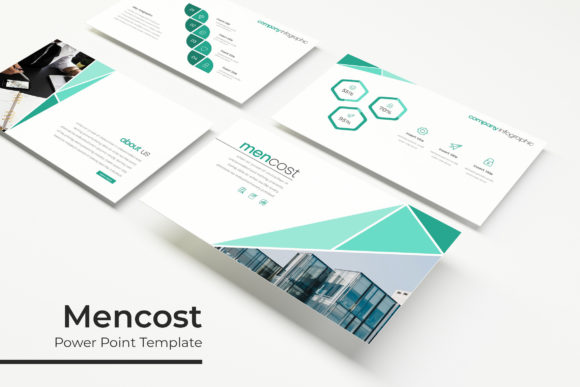
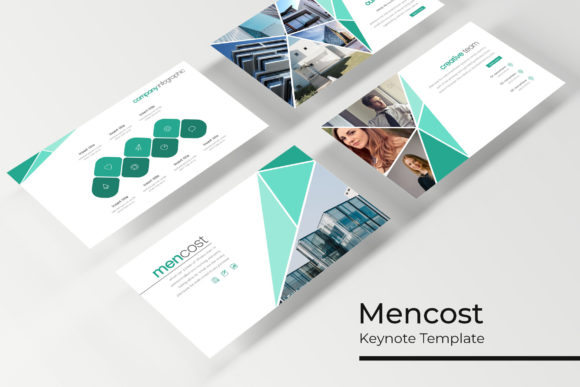
At its core, Mencost is a presentation template, but thinking of it merely as a set of slides undersells its utility. It's a structured design system for visual communication. The foundation of its appeal lies in its extensive library of over 150 total slides, meticulously organized across five premade color variations. This isn't just a palette swap; each of the five color themes includes 30 distinct slides, giving you a curated starting point that aligns with different brand personalities or project moods. Whether you're presenting a sleek tech startup, a warm artisan brand, or a bold creative agency, there's a color story ready to go.
The real power, however, is in the details that save you time during the build phase. Every graphic element, from charts and timelines to icon sets and process flows, is a handcrafted infographic. These aren't generic shapes pulled from a default library. They are designed with a consistent visual language, ensuring that when you drop in your data, the result looks polished and intentional. The slide masters are the backbone of this efficiency. By basing the entire template on master slides, Mencost guarantees pixel-perfect alignment and consistency. Change a font style or a color accent once on the master, and it cascades through your entire deck. This single feature prevents the "Frankenstein presentation" effect where individual slides slowly drift apart stylistically.
Practical Applications Beyond the Boardroom
While the primary function is clear, the versatility of a well-structured template like Mencost extends far into other areas of professional and creative work. For a small business owner or entrepreneur, these slides become a dynamic brand identity kit. The section break slides are perfect for establishing visual chapters in a brand guideline document. The gallery and portfolio slides are not just for showcasing past work; they can be repurposed for product catalogs, lookbooks, or even mood boards for client projects.
Consider the needs of a content creator or a marketing professional. A single color variation's 30 slides can be deconstructed and repurposed. The data visualization slides can become infographics for a blog post or a detailed report for stakeholders. The clean, modern typography and layout principles are ideal for creating consistent social media graphics, especially for platforms like LinkedIn or Instagram Stories where a professional template shines. The picture placeholders, designed for simple drag-and-drop functionality, make it incredibly easy to maintain visual consistency across a series of posts or a marketing campaign.
For those in editorial design or packaging, the template's structure offers a lesson in visual hierarchy and flow. The way information is paced across the slides can inspire the layout of a multi-page brochure, a product manual, or even the panels of a packaging design. The included font choices—which are free for commercial use, with download links provided in the Readme file—are selected for clarity and modern appeal, making them suitable candidates for everything from website headers to print materials like posters and invitations.
Building Consistency and Professionalism
One of the most significant challenges in any visual project is maintaining consistency. A disjointed presentation can undermine credibility, making even the most solid ideas feel unprepared. Mencost addresses this by providing a cohesive system. The pre-established font pairings within the template offer a reliable starting point. While you may want to test your own brand's typography against it, the included fonts demonstrate how a modern sans-serif can work harmoniously with a complementary display or serif style for headings. This is practical font pairing in action, saving you the research time.
The professional presentation of your materials directly impacts audience engagement. A clean, well-organized slide deck with ample white space and clear infographics allows your audience to process information without visual clutter. The editable graphic elements mean you can tailor complex data to be more digestible, improving readability and retention. This isn't about flashy animations; it's about clear, effective communication—a principle that applies equally to a keynote address, a client proposal, or an internal team update.
Maximizing Your Design Asset Investment
When you integrate a resource like the Mencost Keynote Template into your workflow, you're investing in efficiency. The time saved on foundational design tasks can be redirected to strategy, content refinement, and creative thinking. The five included KEY files provide immediate variety, allowing you to adapt to different client needs or project tones without starting from scratch each time.
A practical tip for any designer or business owner is to use the template as a sandbox. Experiment with the master slides. Try swapping the provided fonts for your brand's typeface. See how your logo and brand colors interact with the existing layouts. This process not only helps you customize the template but can also reveal new ways to present your own brand identity materials. The resizable and editable graphics are your playground here. Because everything is vector-based, you can scale elements without loss of quality, a crucial feature for assets that may need to live across different media, from a large presentation screen to a printed handout.
Ultimately, a tool like this is about removing barriers. It provides a professional scaffold so that your ideas, your brand, and your message can take center stage with the visual support they deserve. It’s a practical solution for anyone who needs to communicate ideas visually, from the solo entrepreneur crafting a pitch to the marketing team aligning on a new campaign.