Transform Your Presentations with the Marione Google Slides Template
Crafting a presentation that holds attention, communicates ideas clearly, and looks professionally designed can feel like a monumental task. You want something that reflects your brand's personality, but you also need a tool that's flexible and efficient to use. The Marione Google Slides Template emerges as a robust solution for anyone tired of starting from scratch or wrestling with rigid, uninspired layouts. It's not just a collection of slides; it's a comprehensive visual toolkit designed to streamline your workflow and elevate your visual storytelling.
A Visual Playground for Modern Brands
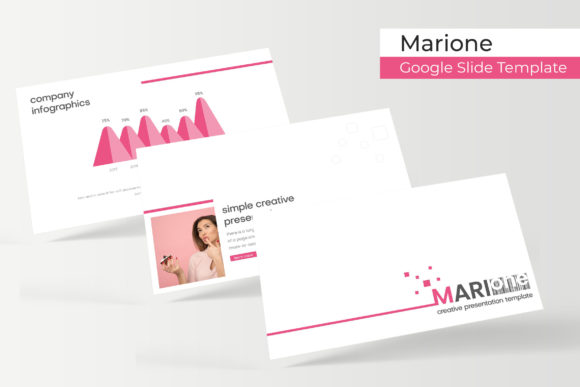
What immediately stands out about the Marione template is its clean, contemporary aesthetic. It balances modern minimalism with enough personality to make your content pop. The design philosophy here is about clarity and impact. With over 150 total slides built on master slides, you have a vast library of layouts at your fingertips, each pixel-perfect and ready for your content. The structure is intelligent, offering 30 thoughtfully designed slides for each of the five premade color variations. This isn't just about changing a hue; each color scheme is a complete, harmonious palette, giving you a distinct mood and tone for different projects or brand identities right out of the box.
The true power for branding and marketing professionals lies in the handcrafted infographics. These aren't generic bar graphs and pie charts. They are designed pieces of visual communication that can transform complex data into engaging, easy-to-understand stories. Paired with dedicated section break slides, gallery layouts, and portfolio showcases, the template provides a narrative flow that guides your audience seamlessly from one point to the next. For a small business owner presenting a quarterly report or a marketer unveiling a new campaign strategy, this built-in structure is invaluable for maintaining professionalism and focus.
Designed for Real-World Workflow
Efficiency is a key feature of any great design asset. The Marione Google Slides Template is built with a practical, user-centric approach. Every graphic and picture placeholder is fully resizable and editable, but the real time-saver is the drag-and-drop functionality based on master slides. This means you can swap images, adjust charts, and move elements without breaking the underlying design integrity. Your layout stays consistent, and your workflow stays fast.
The package includes everything you need to get started immediately: five PPTX files for both standard and widescreen formats, the five premade color themes, and a clear "Readme First" file. A crucial detail for maintaining your brand's voice is the inclusion of a free font download link for the recommended typeface. This attention to detail ensures the final output matches the quality of the preview, down to the typography. It's a thoughtful touch that acknowledges how integral font pairing is to a cohesive design, whether you're working on a presentation, a social media graphics set, or broader brand identity materials.
From Slides to a Cohesive Brand Ecosystem
While built for presentations, the utility of a resource like Marione extends far beyond the conference room. The consistent visual language it provides is a goldmine for creating a unified brand presence. Consider using the infographic elements to design social media carousel posts that educate your audience. The clean layouts can inspire the structure for your website's "About Us" or "Services" pages. The portfolio slides can directly inform the design of a digital lookbook or a printed brochure.
For entrepreneurs and content creators, this template can act as a foundational design system. The color palettes and graphic styles can seed ideas for packaging design, merchandise concepts, or even the aesthetic for an online course. When your presentation, your Instagram feed, and your product labels all share a similar visual DNA—thanks to tools like this—you build brand recognition and trust. It moves your projects from looking "put together" to feeling intentionally and professionally crafted, which is a subtle but powerful signal to your audience.
Practical Tips for Maximizing Your Template
To get the most out of a versatile template like this, a little strategy goes a long way. First, don't feel bound to use every slide. Curate the layouts that best serve your specific message. The goal is clarity, not complexity. Second, leverage the master slides for global changes. If you decide to adjust a font size or color accent, doing it on the master level will update your entire deck instantly, ensuring visual consistency.
When it comes to typography, even though a primary font is provided, consider experimenting with font pairings for different elements. A clean sans-serif from the template might pair beautifully with a complementary serif font for body text in other applications, like a blog post or a print ad. Always test your final content for readability, especially from the back of a room or on a small mobile screen. Finally, review the licensing for the included assets. While the fonts are free, it's always good practice to confirm the terms for commercial use, especially if you're creating client work or products for sale.
The Marione Google Slides Template is more than a pretty set of slides. It's a practical, well-organized tool that addresses the real needs of designers, marketers, and business owners. It provides the structure to communicate effectively, the flexibility to adapt to your unique brand, and the efficiency to save you valuable time. By integrating it into your broader design process, you can use it to build a more consistent, professional, and engaging visual identity across all your projects.