Circle Flip Infographic: A Visual Storytelling Tool for Modern Brands
Every brand, project, or presentation needs a way to tell its story clearly and compellingly. Data and information are everywhere, but raw numbers and text blocks often fail to capture attention. This is where visual communication steps in, transforming complex ideas into engaging, digestible formats. The Circle Flip Infographic template is designed for this exact purpose, offering a structured yet flexible canvas for anyone looking to present information with impact and style. It’s more than just a set of circles; it’s a framework for building narratives that resonate.
A Foundation for Clarity and Creativity
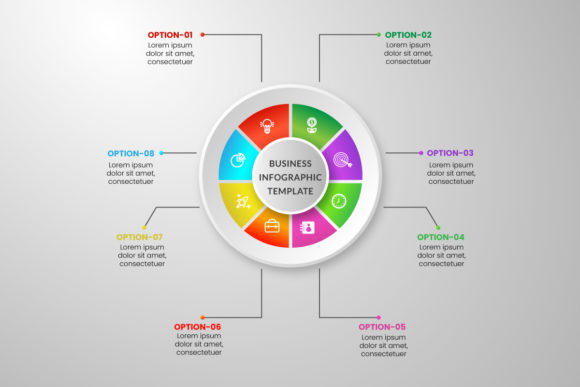
At its core, the Circle Flip Infographic leverages a universally understood shape—the circle—to create a sense of completeness, cycles, and interconnectedness. The "flip" aspect introduces a dynamic, interactive feel, suggesting transformation, comparison, or progression. This visual language is immediately intuitive. Whether you're illustrating a business process, comparing product features, or outlining a project timeline, the circular motif provides a clean, modern backdrop that guides the viewer's eye naturally. The design’s strength lies in its balance: it provides enough structure to ensure your message is organized, while leaving ample room for creative expression through color, imagery, and typography.
This template isn't about rigid, one-size-fits-all graphics. It's a starting point. The provided Adobe Illustrator CC 2020 files are fully editable, meaning you can adjust every element to align with your specific brand identity. Change the color palette to match your logo, swap out placeholder icons for custom illustrations, or modify the layout to better suit your content flow. The 300 DPI resolution and 1200x800 pixel dimension ensure your final output is crisp and professional, whether it ends up on a website, in a presentation deck, or printed as a poster. The included Poppins font, a clean and versatile sans serif, offers excellent readability across digital and print media, serving as a reliable typographic foundation you can build upon or pair with other typefaces.
Practical Applications Across Industries
The true value of a design asset like the Circle Flip Infographic is measured by its utility. Its adaptable nature makes it a valuable tool for a wide range of professionals and projects.
- For Marketers and Content Creators: Use it to break down a marketing funnel, illustrate a customer journey, or create engaging social media graphics that explain a service. The visual format is perfect for platforms like Instagram, LinkedIn, and Pinterest, where static images need to communicate quickly.
- For Small Business Owners and Entrepreneurs: Craft clear product comparisons for your website, design an "About Us" page that outlines your company's values in a circular diagram, or develop packaging inserts that explain how to use your product. It’s a tool for building a cohesive brand identity that looks polished and professional.
- For Educators and Bloggers: Transform complex blog topics into shareable infographics. Explain a historical timeline, a scientific process, or a recipe's steps in a visually appealing way that boosts reader engagement and time on page.
- For Designers and Agencies: Incorporate the template into client projects for editorial design, pitch decks, or logo design presentations. It can serve as a component within a larger brand identity system, providing a consistent visual element for reports and internal communications.
Think beyond digital screens. The high-resolution files are ideal for print materials like brochures, trade show posters, and workshop handouts. Imagine a local bakery using a flip infographic to show the journey of their sourdough starter, or a fitness coach outlining a 12-week training program. The applications are limited only by the story you need to tell.
Enhancing Your Visual Communication Strategy
Adopting a tool like the Circle Flip Infographic can have a tangible impact on how your audience perceives and interacts with your content. First, it promotes visual consistency. By using a recurring design element—your customized circular infographic—across different platforms and materials, you reinforce brand recognition. Your audience starts to associate that clean, circular visual language with your brand's voice.
Second, it dramatically improves readability and information retention. People process visuals 60,000 times faster than text. A well-designed infographic can convey a multi-step process or a comparison in seconds, whereas a paragraph of text might require careful reading. This efficiency is crucial for capturing attention in a crowded content landscape.
Third, it elevates your professional presentation. A custom-designed infographic signals that you value clear communication and have invested effort in your visual assets. This builds trust and credibility with your audience, whether they are potential customers, clients, or readers. It moves your projects from looking "homemade" to looking brand-ready.
Tips for Effective Implementation
To get the most out of this or any infographic template, a strategic approach is key. Don’t just fill in the blanks; think about the story.
- Define Your Core Message First: Before you even open the file, know what single idea or process you want to communicate. What is the key takeaway for your viewer? Let that guide your content and layout choices.
- Customize with Purpose: Use your brand colors thoughtfully. Assign specific colors to different stages or categories to create visual coding. If you swap the Poppins font, test your chosen font pairing for readability at both headline and body copy sizes. A display font for headings and a sans serif for body text is a classic, effective combination.
- Simplify Ruthlessly: The best infographics are not crowded. Each circle or section should contain one clear idea. Use concise labels, short phrases, and high-quality icons. White space is your friend—it prevents visual clutter and helps guide the focus.
- Test for Context: View your design at the size it will be used. Will the text be legible as a thumbnail on a mobile phone? Will the details be clear when printed on a letter-sized sheet? The 1200x800 pixel artboard is a versatile starting point, but always preview in your final context.
- Review Licensing: The template comes with a license for commercial use, which is essential for entrepreneurs and businesses. Always double-check the specific terms to ensure your intended use—whether for a client project, a product for sale, or a marketing campaign—is covered.
Ultimately, the Circle Flip Infographic is a design asset meant to solve a common problem: how to present information beautifully and effectively. Its modern, creative design and easy customizable nature make it a practical addition to any designer's toolkit or business owner's resource library. By focusing on your unique message and applying these thoughtful design principles, you can transform this template into a powerful communication tool that engages your audience and strengthens your visual narrative.